Your team already sends voice notes all day. Turning those recordings into assigned, trackable tasks still means retyping them into a separate app. That gap is why voice to task automation tools exist, and why picking the right one matters.
This comparison shows how Tasks.Bot handles voice note task creation inside WhatsApp, how it stacks up against Karo.bot, and where WhatsApp-first teams get the most value. You will also see the key features, pricing, and beta terms so you can decide which tool fits your workflow.
What Is Tasks.Bot? Voice-to-Task Automation via WhatsApp
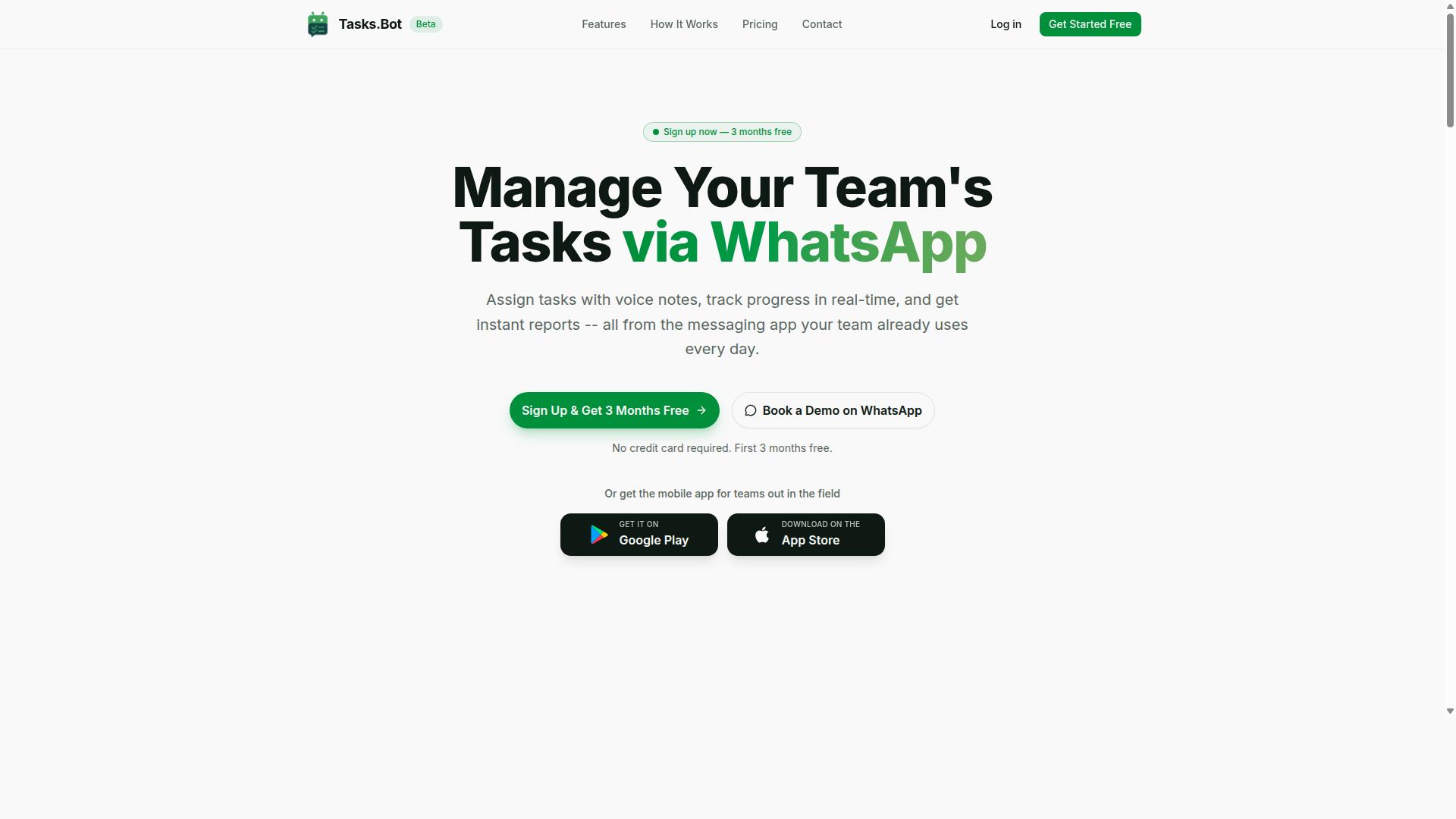
Tasks.Bot is a task management platform that operates entirely within WhatsApp, allowing teams to assign tasks, track progress, and receive reports without leaving the messaging app. For anyone exploring voice-to-task automation, it represents a fundamentally different approach: instead of asking people to adopt new software, it meets them where they already spend their day.
At its core, Tasks.Bot uses AI to interpret natural language and voice notes and turn them into structured tasks. A team member can speak a request the way they would talk to a colleague, and the platform converts that spoken input into an actionable item. This is the essence of voice-to-task automation: capturing intent through speech recognition and natural language processing, then organizing it into something a team can actually work with.
The practical appeal is simple. Most task management software demands onboarding, logins, and a learning curve. Tasks.Bot removes nearly all of that friction because the interface is a messaging app people already know how to use.
Key characteristics of Tasks.Bot include:
- WhatsApp-native operation: task creation, task assignment, progress tracking, and reporting all happen inside the messaging app.
- Voice note support: spoken input is understood and converted into tasks rather than requiring typed forms.
- Natural language understanding: users describe what they need in everyday language instead of filling out structured fields.
- Mobile app for field teams: a dedicated app supports workers who are away from a desk.
- No new accounts required: team members do not need to install anything or create separate logins to participate.
That last point matters more than it might appear. Adoption is the hardest part of any productivity tool, and every extra signup step is a place where participation drops off. By keeping the barrier near zero, Tasks.Bot makes it realistic for an entire team, including less technical members, to stay on the same page.
Tasks.Bot is currently in beta and offers a free trial period, which gives teams a low-risk way to see whether voice-driven task capture fits their workflow. For crews in the field, service teams, or any group coordinating through chat, the combination of voice notes and WhatsApp-based task management addresses a real gap that traditional project management platforms often leave open.
Tasks.Bot vs Karo.bot: Which Voice to Task Automation Software Wins?
When comparing Tasks.Bot and Karo.bot, both offer voice-to-task automation, but they differ significantly in their approach and core strengths. The right choice depends less on raw features and more on where your team already communicates.
Tasks.Bot is built around native WhatsApp integration. Voice notes sent in a WhatsApp chat become structured tasks, and the platform layers on assignment, reminders, approvals, reports, attendance, and shift tracking. It targets teams that already run their day-to-day communication through WhatsApp, especially those with field staff.
Karo.bot also handles voice-driven task capture, and for some users its broader assistant-style positioning may appeal. The comparison below focuses on four dimensions that matter most in daily use:
- Voice note handling: how each tool turns spoken input into a structured, assigned task
- Platform integration: whether the tool lives inside your existing chat app or requires a separate workspace
- Target audience: office-based knowledge workers versus teams with staff in the field
- Pricing: how each product packages its plans and what you pay for as the team grows
Each dimension gets its own section below. The short version: if your team lives in WhatsApp, Tasks.Bot's design removes friction that general-purpose voice assistants tend to introduce.
How Tasks.Bot Handles Voice Note Task Creation
Tasks.Bot leverages AI to convert voice notes into actionable tasks, using natural language understanding to parse details like assignees, deadlines, and priorities. The flow starts inside WhatsApp, not in a separate dashboard.
A user records a voice note in a WhatsApp chat, the same way they would send any other message. Tasks.Bot uses AI to understand the user's intent and create the task from that message.
This matters because voice is often the fastest input method available. A supervisor walking a site can speak a task instead of typing it, and the resulting to-do list entry is structured enough to act on. The platform also supports automatic task assignment and smart deadline reminders, so a spoken instruction does not stall after creation.
Karo.bot also works with voice input, and its assistant-style approach may suit users who want a conversational helper across multiple surfaces. The practical difference is where the task lands. With Tasks.Bot, the voice note, the task, and the follow-up all stay in the WhatsApp thread the team already uses. Nothing needs to be copied between tools, and no one has to remember to log the task somewhere else.
Tasks.Bot also ships Android and iOS apps with push notifications, voice capture, and a home screen widget. Those options extend the same task creation model beyond the chat window when a phone is the primary work device.
Where Tasks.Bot Pulls Ahead for WhatsApp-First Teams
For teams already using WhatsApp as their primary communication tool, Tasks.Bot eliminates the need to adopt a separate app, integrating task management directly into their existing workflow. There are no new accounts to create and no installs to push through, which means adoption happens on day one rather than after a training cycle.
This advantage compounds for teams with field staff. Workers who are on the move, on a site, or away from a desk rarely want another login. Tasks.Bot meets them in the app already open on their phone, and the platform supports the operational pieces those teams need:
- Face-verified attendance for shift accountability
- Tasks on a map and a live day tracker for visibility into field activity
- Shifts, leave, and hours management with payroll-ready hours
- Approvals and automations plus instant reports for managers
Karo.bot may connect with other communication and productivity tools, and for teams standardized on those platforms it can be a reasonable fit. The trade-off is usually setup and habit change. A WhatsApp-first team gets the most value from a productivity tool that never asks anyone to leave the conversation.
The site notes that hundreds of teams already use Tasks.Bot, which suggests the WhatsApp-native model holds up in real operational settings rather than only in demos. For a crew that coordinates by chat and voice, that combination of voice-to-task automation, task assignment, deadline setting, and attendance tracking in one place is the clearest reason Tasks.Bot comes out ahead.
Key Features That Make Tasks.Bot Stand Out
Tasks.Bot offers a suite of features designed to streamline task management for teams, with standout capabilities in AI-driven task creation and field team support. Instead of asking teams to adopt another standalone app, it operates entirely within WhatsApp, so members do not need to install anything or create new accounts.
That single design choice changes how quickly a team can get moving. A supervisor can send a voice note and turn it into an assigned task without leaving the conversation where work already happens. The same platform then carries that task through to completion with reminders, approvals, and reporting.
Several capabilities work together to set Tasks.Bot apart from a basic to-do list:
- AI natural language understanding that reads intent from typed messages and voice notes
- Automatic task assignment with smart deadline reminders
- Face-verified attendance and live GPS tracking for field staff
- Shifts, leave, and hours management for payroll-ready records
- Instant reports, tasks on a map, and a live day tracker
- Native WhatsApp integration plus Android and iOS apps with push notifications, voice capture, and a home screen widget
Enterprise-grade encryption backs the whole system. Conversations and task data are never shared or used for training, which matters for teams handling sensitive field or client information. A 3-month free trial with no credit card required lets a team evaluate the fit before committing.
The sections below look at the two areas where these features matter most: how the AI turns unstructured input into organized work, and how attendance and location tools keep remote teams accountable.
AI Natural Language Understanding and Automatic Task Assignment
Tasks.Bot's AI engine interprets natural language and voice notes to automatically create and assign tasks, reducing manual entry and ensuring clear ownership. A manager does not need to open a form, pick a project, or type out a structured record. They simply say what needs to happen.
The system uses AI to understand user intent and create tasks from messages. That means a spoken instruction like a voice note about restocking a shelf or following up with a client becomes a tracked item rather than a message that scrolls away.
Typical inputs the AI can work from include:
- A voice note describing a job that needs doing
- A typed WhatsApp message naming a person and a time
- A quick instruction with a deadline attached, such as a task due before a shift ends
From that unstructured input, the engine extracts the task details, identifies the right team member based on context, and sets the deadline. This happens automatically, so no one has to retype the request into a separate productivity tool or chase down who owns what.
Automatic assignment also closes a common gap in team collaboration. When ownership is explicit from the moment a task is created, work does not stall in a group chat waiting for someone to volunteer. Smart deadline reminders then keep the task visible until it is done, and approvals and automations handle the handoffs in between.
For teams weighing a voice-to-task automation tool against a manual workflow, the practical difference is time. Every task that skips manual entry is a task that starts sooner and is less likely to be forgotten. Because Tasks.Bot lives inside WhatsApp, that benefit applies to every member of the team, not just the ones comfortable with new software.
Face-Verified Attendance, GPS Tracking, and Field Team Tools
Tasks.Bot includes face-verified attendance and GPS tracking, making it ideal for managing field teams who need to check in from remote locations. Attendance is confirmed by a face check rather than a shared password or a buddy punching in on someone else's behalf.
GPS tracking pairs with that verification to show where a check-in happened. For teams spread across sites, routes, or client locations, this creates a record that supports accountability without requiring constant manual updates from a supervisor.
These tools feed directly into back-office needs:
- Attendance records verified by face, not just a tap
- Shifts, leave, and hours management that produces payroll-ready hours
- Tasks on a map and a live day tracker for visibility into where work stands
All of this is accessible through the mobile app, which complements the WhatsApp interface rather than replacing it. Team members keep working in the chat they already use, while the app adds push notifications, voice capture, and a home screen widget for quick access.
The result is a single system for both the work and the people doing it. A field technician's check-in, location, hours, and assigned tasks all sit in the same place, so managers are not reconciling three separate tools at the end of a pay period. Instant reports pull that information together when it is needed.
For businesses that run crews on the move, this combination of face-verified attendance and live GPS tracking is often the deciding factor. It answers the question of who was where, and what they were responsible for, without adding administrative overhead to the people in the field.
Pricing and Plans: Tasks.Bot's Full Access Offer
Tasks.Bot offers a single 'Full Access' plan that includes all features, with pricing available in Indian Rupees and US Dollars. There are no confusing tiers, no locked capabilities, and no upsells to decode before you can start turning a voice command into a task.
That simplicity matters for anyone comparing voice-to-task automation options. Many productivity tools split core functions across starter, pro, and business levels, which forces buyers to guess which plan actually supports task creation, task assignment, deadline setting, and reminder scheduling. Tasks.Bot avoids that guesswork entirely.
Pricing is published in two currencies, so you can pick whichever matches your billing preference. The platform states 'Select currency' with options for Indian Rupee and US Dollar. Verify the currency during checkout to avoid any conversion surprises.
| Plan | Price | What You Get |
|---|---|---|
| Monthly | ₹200 per member per month | All features included |
| Annual | ₹1,200 per year per member | All features included, save 50% |
The annual option saves ₹1,200 per year per member compared with paying monthly. That is a straightforward 50% saving, not a temporary promotion that disappears after a quarter.
New users also get 3 months free with no credit card required, and can cancel anytime. For a team evaluating a productivity tool, that trial window is enough to test how well speech recognition and natural language processing handle real voice notes, to-do lists, and recurring tasks.
Tasks.Bot is currently in beta. A refund policy is available, which lowers the risk for anyone hesitant about committing to a newer platform. Beta status also means the product is still evolving, so early adopters may see changes alongside the stability they need for daily workflow automation.
Compared with Karo.bot, pricing structures in this category vary, and specific competitor rates should be checked directly with each provider. What stands out about Tasks.Bot is its all-inclusive approach: one plan, every feature, and clear per-member math that scales predictably as your team grows.
For small teams, the per-member model keeps costs transparent. Add five members on the annual plan and the math is simple and fixed. There are no hidden charges for core capabilities like calendar integration or team collaboration, because everything sits inside the single Full Access tier.
Before committing, confirm three things: your selected currency, your billing cycle, and your team size. These determine your total cost and nothing else. That level of predictability is rare in task management software, where feature gating often obscures the true price of a usable setup.
In short, Tasks.Bot's pricing is transparent, affordable, and free of the tier confusion that slows down software decisions. One plan, all features, a free three-month start, and a refund policy back it up.
Trust Signals: Beta Status, Encryption, and Early Adoption
Tasks.Bot is currently in beta, with encryption measures in place to protect user data, and is already used by hundreds of teams. For anyone weighing voice-to-task automation as part of their daily workflow, those three details answer the most common questions about trusting a newer productivity tool.
Beta status is often read as a warning sign. In practice, it can be the opposite. A product still in active development tends to ship improvements faster and listens harder to the people already using it.
Early adopters get a rare kind of influence. Feedback given during beta frequently shapes which features get prioritized, how voice command flows are refined, and where the team focuses next. Once a tool matures, that window closes.
For teams already experimenting with voice-to-task automation, joining during beta means helping steer a product toward the workflows they actually run, rather than adapting to decisions made without them.
Encryption addresses the other big hesitation around voice tools. Spoken task creation often involves deadlines, client names, and internal project details, so data protection is not a minor concern.
The presence of encryption measures means those voice notes and task details are handled with security in mind from the start, not bolted on later. That matters for anyone considering Tasks.Bot for team collaboration or project management work.
Adoption numbers offer a third signal. Hundreds of teams already rely on Tasks.Bot, which suggests the beta is past the stage of a rough prototype. Real groups are using it for task creation, task assignment, and reminder scheduling.
That kind of usage also generates the feedback loop that improves speech recognition and natural language processing over time. More teams means more real-world phrasing for the system to learn from.
- Beta access: a chance to influence the roadmap while the product is still evolving
- Encryption: protection for sensitive voice notes and task details
- Hundreds of teams: evidence that real workflows already run on the tool
- Refund policy: a stated path to recover payment if the fit is wrong
The refund policy mentioned in the site footer rounds out the picture. A published refund option lowers the risk of trying a product that is still in beta, since teams are not locked in if it does not suit their workflow.
Tasks.Bot also offers a Book a Demo on WhatsApp option, which gives prospective users a direct way to see the tool before committing. For teams comparing voice-to-task automation options, that combination of beta access, encryption, an existing user base, and a refund policy makes Tasks.Bot a reasonable and low-risk choice to evaluate.
Who Should Use Tasks.Bot
Tasks.Bot is designed for teams that rely on WhatsApp for communication, especially those with field staff who need task management, attendance tracking, and payroll-ready hours. If your daily coordination already happens in chat threads, this voice-to-task automation software meets your team where they already are instead of forcing a new app into the routine.
The platform is global and accessible worldwide, so location is not a barrier. What matters more is the shape of your workforce: people who are mobile, hands-on, and rarely sitting in front of a desktop application during the workday.
Industries that fit this profile include:
- Construction - site crews who need task assignment and attendance logged without leaving the job site
- Delivery and logistics - drivers coordinating routes, handoffs, and deadlines while on the move
- Field sales - reps logging visits, follow-ups, and priority tagging between appointments
- Any mobile or field-based operation where a desktop-first productivity tool would go unused
For these teams, the pain points tend to repeat. Instructions get buried in long chat threads. Attendance lives in someone's memory or a paper sheet. Hours have to be reconstructed later before payroll. A voice command or voice note that turns directly into a tracked task removes several of those steps at once.
Tasks.Bot also suits teams that want team collaboration without a heavy rollout. Because the workflow runs through WhatsApp, there is little to no onboarding friction for staff who are not comfortable with complex project management software. The site notes that hundreds of teams already use the service, which suggests the fit is not theoretical.
It is a less natural match for teams that need a full Kanban board, deep GTD methodology support, or an extensive API integration layer with tools like Zapier, IFTTT, Slack, or Microsoft Teams as the center of their stack. Those setups lean toward desktop-first platforms. Tasks.Bot's strength is the opposite: fast, conversational task creation and tracking for people who work with their hands and their phones.
If your team already lives in WhatsApp and your biggest operational headaches are missed tasks, unclear attendance, and messy hours, Tasks.Bot is built for exactly that combination.
Final Verdict: Is Tasks.Bot the Better Voice to Task Automation Choice?
After comparing Tasks.Bot and Karo.bot, Tasks.Bot emerges as the stronger choice for WhatsApp-first teams seeking seamless voice-to-task automation. Its focus on voice notes, field teams, and transparent pricing gives it a practical edge for teams that already run their operations through WhatsApp.
Where Karo.bot offers general voice-to-task automation, Tasks.Bot narrows its attention to a specific problem: turning WhatsApp voice notes into structured tasks. That focus matters for teams juggling field staff, quick updates, and hands-free task creation.
The key advantages that set Tasks.Bot apart include:
- WhatsApp integration for capturing voice notes where teams already communicate
- AI-powered voice note handling to convert spoken input into actionable tasks
- Field team tools suited to mobile-first, on-the-go workflows
- Transparent pricing so teams know what they are paying for upfront
These strengths align with the broader shift toward voice command and natural language processing in task management software. Instead of opening a desktop application or typing into a to-do list, users can speak naturally and let the AI assistant handle task creation, deadline setting, and reminder scheduling.
For field teams especially, this reduces friction. A voice note sent from a job site can become a structured task with an owner and a due date, without anyone pausing to type it out.
It is also worth acknowledging limitations. Tasks.Bot is still in beta, which means some features may evolve, and teams with highly specialized workflow automation needs might find the current scope narrower than mature project management platforms.
That said, beta status is common for focused productivity tools, and it often signals active development rather than a finished, static product. Early adopters typically gain flexibility and direct influence over how the tool grows.
For most WhatsApp-first teams, the trade-off favors Tasks.Bot. The combination of voice-to-task automation, field team tools, and transparent pricing covers the core needs without unnecessary complexity.
If your team relies on voice notes, mobile app usage, and quick task assignment, Tasks.Bot is the more targeted fit. If you need deep Kanban board customization or extensive API integration with tools like Zapier, Slack, or Microsoft Teams, it may serve as a strong complement rather than a full replacement.
To explore whether Tasks.Bot suits your workflow, you can reach the team directly. Contact them by phone at +91 97143 42522 or by email at [email protected]. You can also book a demo on WhatsApp to see the voice-to-task process in action.
Frequently Asked Questions
What's the main difference between Tasks.Bot and Karo.bot for voice-to-task automation?
Tasks.Bot is built entirely around WhatsApp, so your team can create tasks with voice notes and manage everything without installing new software or creating separate accounts. Voice notes are understood using AI, so natural speech turns into assigned tasks with deadlines. If you're comparing options, the key question is whether you want task management to live inside the app your team already uses every day.
Do my team members need to download an app to use Tasks.Bot?
No. Tasks.Bot operates via WhatsApp, so team members don't need to install anything or create new accounts to receive, act on, or report tasks. A mobile app is also available for field teams that need it, but it isn't required for day-to-day task management. This keeps adoption simple, especially for field staff who may not be comfortable with new tools.
How does voice-to-task creation actually work in Tasks.Bot?
You send a voice note in WhatsApp describing what needs to be done, and Tasks.Bot uses AI to understand the natural language and turn it into a task. From there, tasks can be automatically assigned, tracked, and followed up with smart deadline reminders. Approvals, automations, and instant reports are also handled within the same WhatsApp workflow.
Can Tasks.Bot handle attendance and field team tracking, or is it only for tasks?
It goes beyond tasks. Tasks.Bot includes face-verified attendance, tasks on a map, and live day tracking, which makes it useful for teams with field staff. It also supports payroll-ready hours, so attendance and work data can feed into payroll processes. If your team works in the field and communicates on WhatsApp, these features are designed for exactly that setup.
How much does Tasks.Bot cost compared to Karo.bot?
Tasks.Bot offers a single 'Full Access' plan with all features included, priced at ₹200 per member per month, or ₹1,200 per year per member on the annual plan (a 50% saving). Pricing is available in both Indian Rupees and US Dollars. For Karo.bot's current pricing, check their website directly, as we can only speak accurately to our own plans.
Is Tasks.Bot available in my country, and how do I get started?
Yes. Tasks.Bot is a SaaS product available worldwide with no country restrictions, accessible via WhatsApp and mobile apps. You can book a demo directly on WhatsApp from the website, or reach the team at [email protected] or +91 97143 42522. The service is currently in beta, and a refund policy is listed in the website footer.
Recommended Resources:
👋 Hi, I’m Robin. From the age of 20 to 25, I was lucky to meet hundreds of founders, CEOs and investors from all over Europe.
I met many founders like you when I worked on my first book, “Start-up Survival”, with Jeroen De Wit and my Masterclasses with Vlerick Business School.
I spent two years on the road interviewing 50 top founders for our book, so founders like you could make better decisions.
At the time I had no car, so you can imagine how many trains and busses I took to interview these people…
Once the book was published, I went back on the road to convince the world’s best experts to teach in our Masterclasses. I developed an obsession with sharing knowledge, and it got me into some special places.
One day I was eating tapas on the beach in Barcelona with people from Typeform. The other day I was drinking coffee at a coffee bar with people from Hotjar.
People always asked me: “How did you, a 20-year old, convince those people?”
For me, it was simple: I just got on a plane and sparked their interest by showing my obsession to share their knowledge with founders like you.
Now, I’m helping you while fulfilling my life purpose. I will help you make better decisions by sharing knowledge.
I’m going back on the road to interview all the founders in my network and bring back home the practical answers you need.
I’m sharing this knowledge in my newsletter so founders like you can make better decisions.