Your team is drowning in WhatsApp threads, and tasks keep slipping through the cracks. Choosing an AI automation tool means deciding between native chat integration and a separate dashboard that nobody opens.
By the end of this article, you will know exactly which features matter for workflow compatibility, NLP accuracy, and field team tracking. You will also get a clear #1 pick with pricing considerations and trial period guidance to make your final decision confidently.
What to Look For in an AI Task Automation Tool
Before selecting an AI task automation tool, evaluate its ability to work together with your existing communication and project management platforms, understand natural language commands, and handle complex workflow rules. These three pillars determine whether the tool becomes a daily productivity asset or a frustrating bottleneck.
Integration capabilities, natural language processing, flexible triggers, and reporting form the core evaluation criteria. Each area directly impacts how quickly your team adopts the tool and how much manual effort it actually eliminates.
The following sections break down each criterion in detail. Use them as a practical checklist when comparing vendors and requesting demos.
Native Platform Integration and Workflow Compatibility
Check whether the tool natively integrates with the platforms your team already uses daily, such as Slack, Microsoft Teams, WhatsApp, or email, and whether it supports custom API connections for legacy systems. Native integrations reduce friction because they are purpose-built and tested by the vendor, not stitched together by third-party workarounds.
API connectivity matters just as much as pre-built connectors. Look for support of REST API and webhooks, which allow the tool to send and receive data in real time. OAuth authentication ensures secure connections, while rate limits and latency figures reveal how well the tool handles high-volume traffic.
Consider the tool's data mapping and transformation capabilities. A solid solution lets you map fields between systems without writing complex code. Custom connectors become essential when you rely on niche or internally developed software that lacks public integrations.
Ask whether the tool fits into existing workflows without requiring major process changes. The best AI task automation tools adapt to how your team works, not the other way around. Prioritize options that offer both no-code and low-code platforms, so technical and non-technical users can build automations confidently.
Natural Language Processing Capabilities
A robust AI task automation tool should interpret natural language commands accurately, allowing users to create tasks by typing or speaking conversationally, rather than using rigid form fields. The difference between a capable tool and a frustrating one often comes down to how well it understands context and intent.
Test how the tool handles variations in phrasing. For example, "remind me Tuesday at 3pm to send the proposal" and "send the proposal Tuesday afternoon" should both produce a correctly scheduled task. Context extraction is critical for pulling out due dates, assignees, priorities, and project names from free-text input.
Voice notes add another layer of complexity. The tool should parse spoken language with the same accuracy as typed text, handling filler words and incomplete sentences gracefully. Research suggests that users abandon automation tools quickly when they must rephrase commands repeatedly.
Before committing, run a set of sample commands that reflect your team's actual language patterns. Include industry jargon, abbreviations, and common typos to gauge real-world performance. Accuracy testing matters more than feature lists because even the most powerful NLP engine fails if it cannot understand your team's specific vocabulary.
Automation Triggers, Deadlines, and Escalation Rules
Evaluate how the tool handles triggers such as new messages, form submissions, or schedule-based events, and whether it supports conditional logic and escalation rules to ensure tasks are completed on time. Event-driven triggers respond instantly to incoming data, while scheduled tasks run at predetermined intervals for recurring work.
Conditional branching lets you create sophisticated workflows that adapt to different scenarios. For example, a support ticket that mentions "urgent" might route to a senior agent, while standard requests follow a normal queue. This level of intelligence separates basic automation from true workflow automation.
Escalation rules provide a safety net for missed deadlines. A well-designed tool should automatically notify managers, reassign tasks, or trigger follow-up actions when work falls behind schedule. Approval workflows add a human-in-the-loop layer for high-stakes decisions, ensuring that automated actions still receive proper oversight.
Look for a drag-and-drop builder with pre-built templates that demonstrate best practices. Test whether you can combine multiple trigger conditions and action steps in a single workflow without hitting platform limitations. Also verify error handling behavior, since a workflow that silently fails can be worse than no automation at all.
Finally, review the tool's reporting and audit logs. Real-time sync and batch processing options affect how quickly data reflects across connected systems. User permissions and security compliance ensure that sensitive workflows remain protected, while scalability determines whether the tool grows alongside your automation needs.
Reporting, Tracking, and Field Team Support
For teams with field staff, the tool must offer real-time tracking, attendance logging, and reporting features that provide visibility into task completion and employee productivity. Without these capabilities, managers are left guessing about what work actually got done and where delays occurred. A strong automation platform should turn raw activity data into clear, actionable insights.
Real-time sync is the foundation of effective field team management. When a technician completes a job or a delivery driver logs a stop, that information should update immediately across all dashboards and stakeholder views. Stale data creates confusion, duplicate work, and missed deadlines. Look for tools that push updates instantly rather than relying on manual data entry or periodic batch refreshes.
Audit logs matter just as much as live dashboards. They create a permanent, tamper-resistant record of who did what and when. This becomes essential for resolving disputes, verifying compliance, and understanding workflow bottlenecks. A good audit trail should capture task assignments, status changes, approvals, and any edits made to records.
Reporting dashboards need to answer specific operational questions at a glance. Common metrics to track include:
- Tasks completed versus tasks overdue
- Average response or completion time per team member
- Geographic coverage and route efficiency
- Attendance patterns and shift adherence
- Recurring problem areas or frequent error triggers
Field team support requires mobile accessibility as a core feature, not an afterthought. Technicians and remote workers need to view assigned tasks, update progress, and capture notes or photos from their phones. The interface should work reliably on smaller screens and in areas with spotty connectivity. Offline capability with later sync is a major advantage for crews working in remote locations.
Geolocation features add another layer of practical value. GPS tagging on task completion confirms that work happened at the right site. Route optimization helps dispatchers assign jobs based on proximity. Location data also feeds into attendance tracking, reducing time theft and manual clock-in errors.
Reports must be easy to share with stakeholders who are not daily platform users. Executives, clients, and partner organizations rarely want to log into another system. Look for export options in common formats like PDF or CSV, plus scheduled email delivery. Clean, readable summaries beat dense raw data every time.
Customizable dashboard views allow different roles to see what matters to them. A project manager might focus on timeline adherence, while a finance lead wants labor cost estimates. Role-based visibility also supports security compliance by restricting sensitive information to authorized users only.
Event-driven alerts round out the reporting picture. The system should notify supervisors automatically when a task falls behind schedule or when a field worker checks in at an unexpected location. These trigger conditions turn passive reporting into active management support, helping teams correct course before small issues become major failures.
1. Tasks.Bot - Best Overall
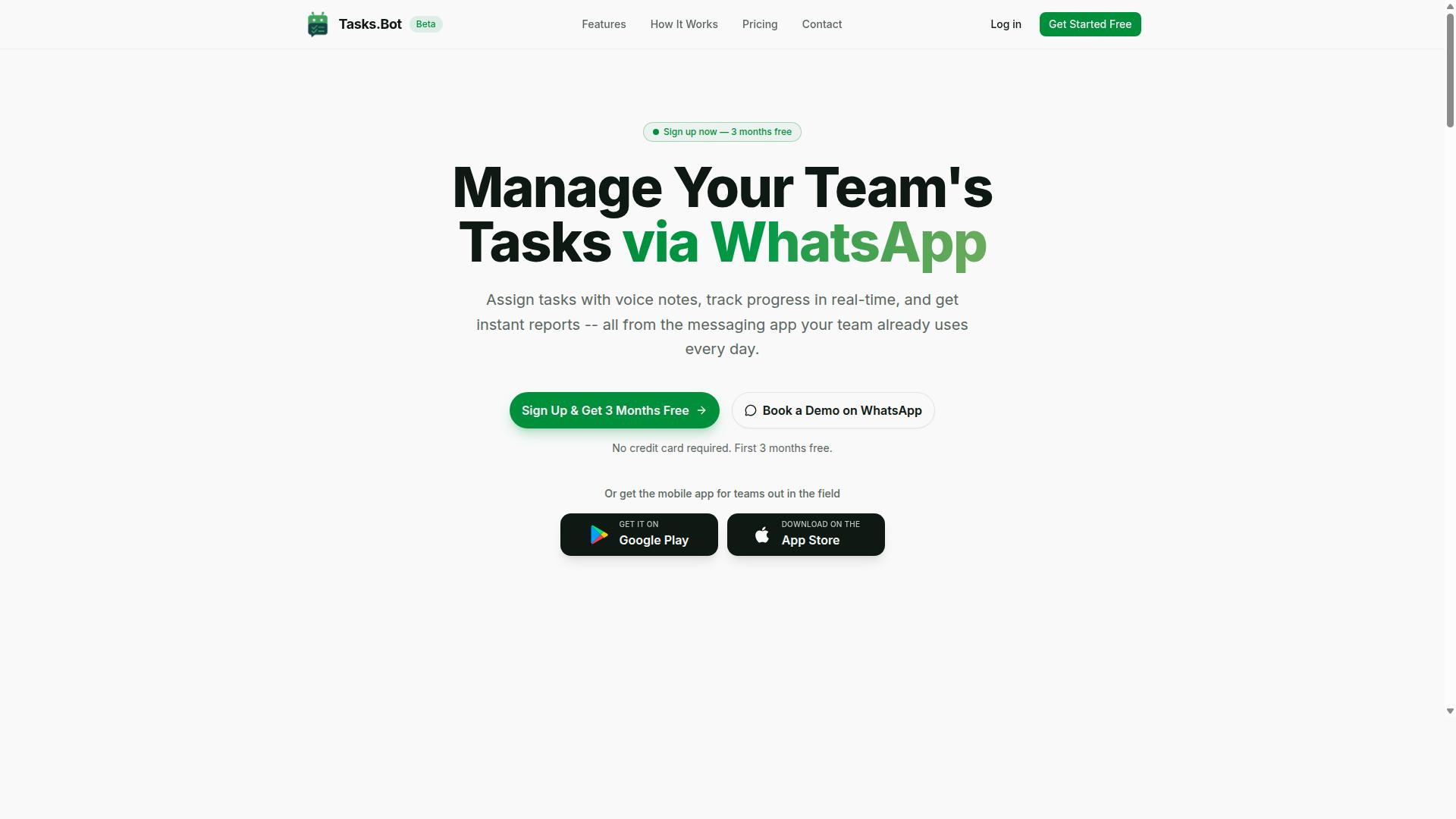
Tasks.Bot stands out as the best overall AI task automation tool because it operates entirely within WhatsApp, eliminating the need for additional software installations and learning curves. Teams already live in WhatsApp, so adopting this platform feels natural from day one.
The service is currently in beta and offers a free trial period, making it easy to test before committing. It also provides a mobile app for field teams, which extends its reach beyond desk-based workers. This combination of accessibility and practical design makes it a strong choice for organizations of all sizes.
WhatsApp-Native AI Automation with Voice Task Creation and Attendance Tracking
Tasks.Bot's unique selling point is its AI-driven voice note task creation and automatic attendance tracking, all within the familiar WhatsApp interface. The AI understands user intent and creates tasks directly from messages, removing manual data entry from the workflow.
Beyond voice capture, the platform includes a full suite of task management features:
- Automatic task assignment
- Smart deadline reminders
- Approvals and automations
- Instant reports
- Tasks on a map
- Live day tracker
- Face-verified attendance
- Shifts, leave, and hours management
Native WhatsApp integration means all of this happens without switching apps. The Android and iOS apps add push notifications, voice capture, and a home screen widget for even quicker access.
For teams evaluating AI task automation tools, the key takeaway is that Tasks.Bot addresses both workflow automation and human-in-the-loop needs. Attendance tracking and approvals keep managers informed, while voice-driven creation lowers friction for workers in the field. This balanced approach to automation is rare in a single platform.
2. Reminderly.ai
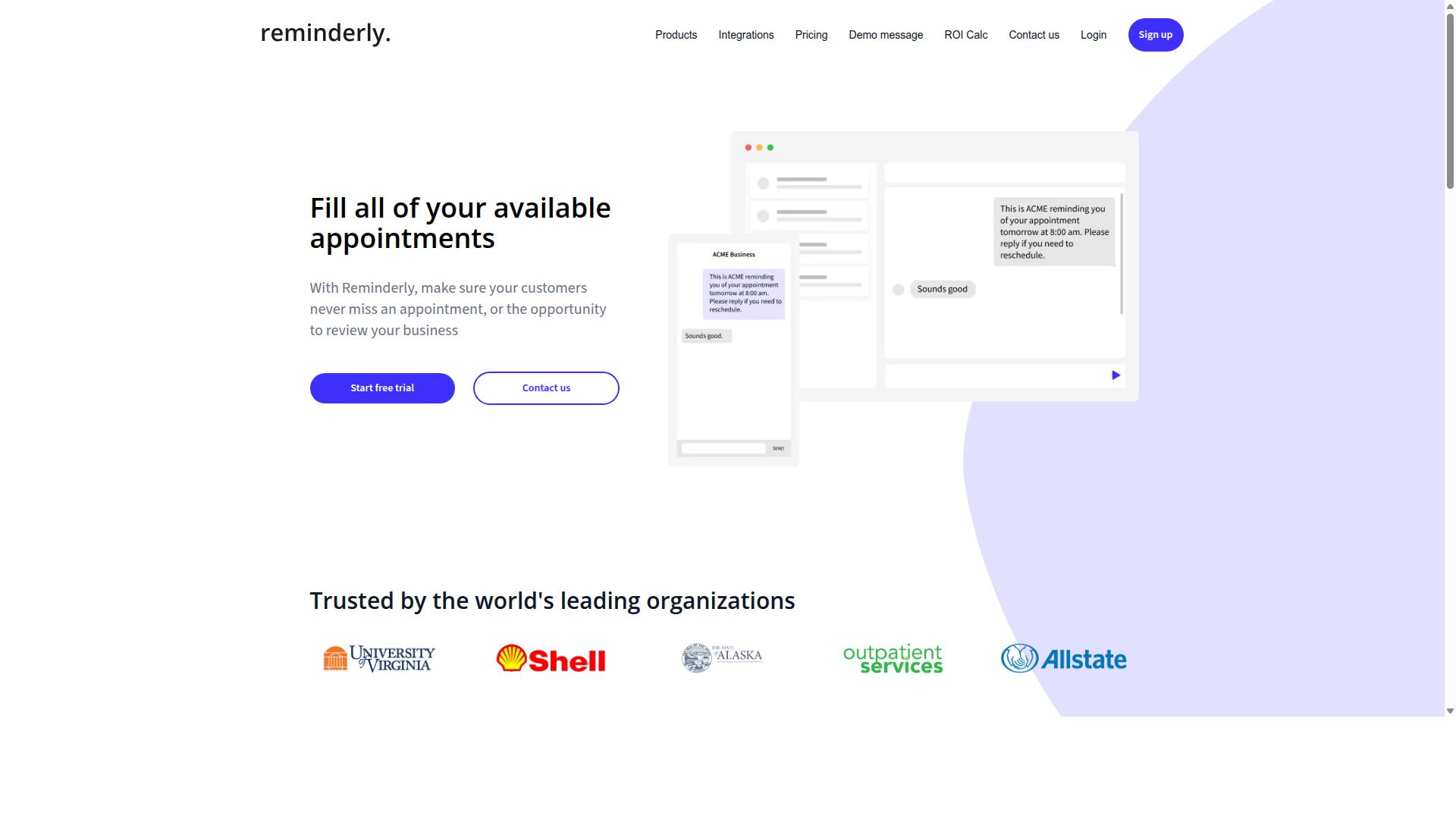
Reminderly.ai focuses on intelligent reminders and follow-ups, but its integration options are more limited compared to the leading platforms. The tool is built around the idea of helping users stay on top of scheduled tasks and time-sensitive commitments.
For teams evaluating AI task automation tools, Reminderly.ai can serve a narrow but useful purpose. It typically handles automated reminders, recurring notifications, and basic scheduling prompts without requiring much setup. Users who need a lightweight nudge system may find this approach appealing.
However, advanced workflow automation is often where this type of tool falls short. The platform may not offer the depth of trigger conditions, conditional logic, or branching workflows that power users expect from a full automation suite. Custom connectors, webhooks, and complex data mapping are features that may be absent or limited.
When comparing integration capabilities, consider whether the tool supports the specific third-party apps your team relies on daily. Native integrations and API connectivity matter more than the number of apps listed. A smaller integration catalog can still work well if it covers your core stack.
For teams that only need simple reminders routed to email or messaging apps, Reminderly.ai may be sufficient. For those requiring event-driven workflows, approval processes, or human-in-the-loop steps, a more extensible platform with REST API access and OAuth authentication would be a stronger fit.
3. TaskRio
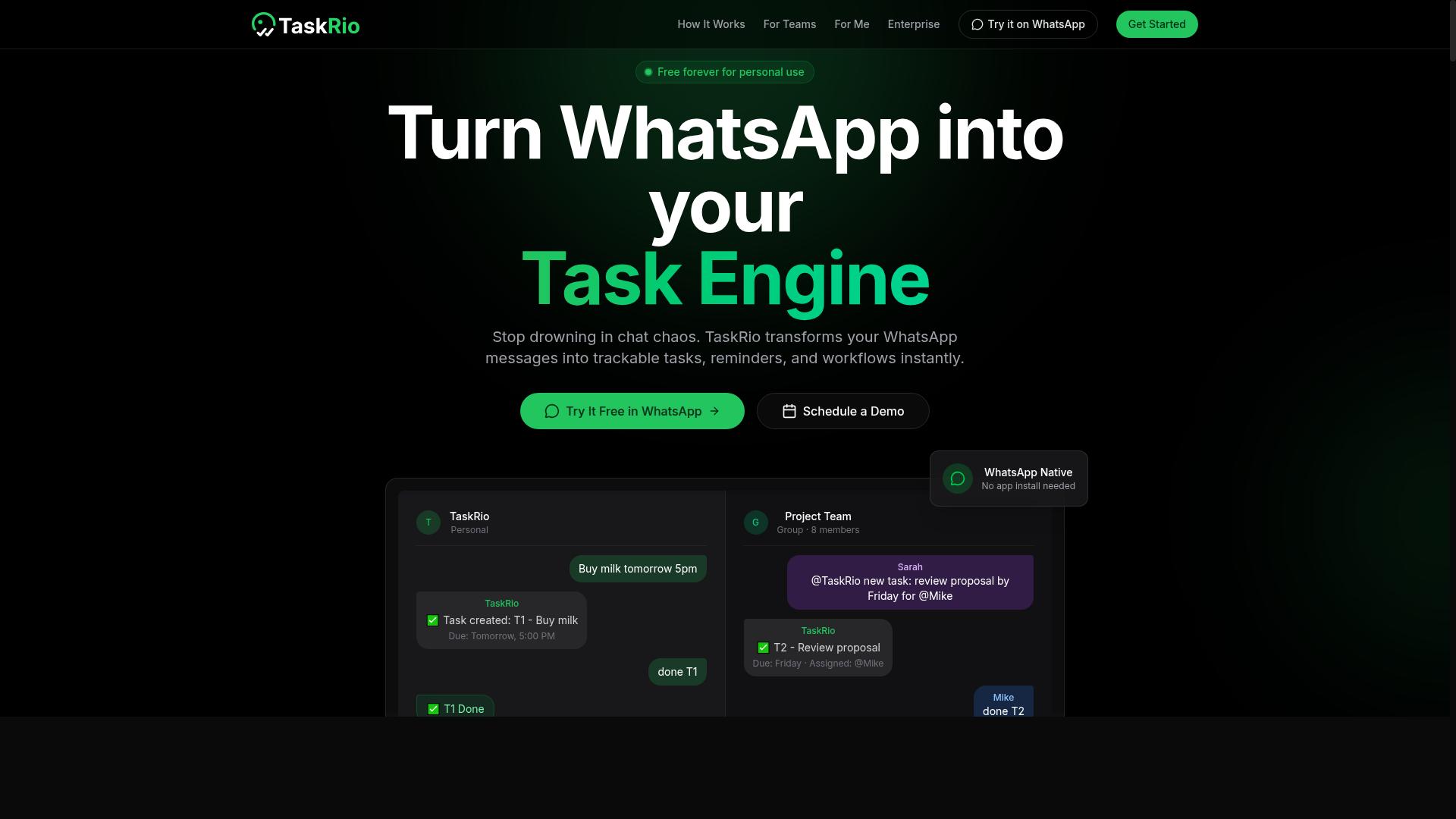
TaskRio offers a visual workflow builder with API connectivity, making it suitable for teams that need custom automation without coding. The platform positions itself as a no-code/low-code option that sits between simple point-and-click tools and full development projects.
Its core appeal is the drag-and-drop builder, which lets users arrange triggers, actions, and logic on a visual canvas. For teams that find traditional automation tools too rigid, this approach provides more control over how data flows between systems.
TaskRio relies on REST API connectivity and webhooks rather than a large catalog of native integrations. This means you can connect to almost any third-party app that exposes an API, though you may need to handle some of the configuration yourself.
When evaluating a tool like TaskRio, consider how its data mapping and trigger conditions work in practice. A visual builder is only useful if it lets you define clear action steps and handle real-world edge cases without writing custom code.
Teams should also review the platform's error handling and scalability options. Webhook-based automation can fail silently, so look for clear logging, retry mechanisms, and the ability to monitor workflow status at a glance.
4. Karo.bot
Karo.bot leverages conversational AI to automate tasks through chat interfaces, but it may lack the depth of reporting and field team support found in more specialized tools. The platform positions itself as an approachable entry point for teams that prefer natural language commands over complex configuration screens.
For simple task creation, the chat-driven model works well. Users can describe what needs to be done and the assistant translates that into actionable items. This conversational approach reduces the learning curve for non-technical team members who might find traditional automation builders intimidating.
However, teams with advanced operational requirements should evaluate carefully. Attendance tracking, multi-step approval workflows, and granular permission controls may fall outside the core competency of a chat-first assistant. These features often require structured data models and configurable logic that conversational interfaces struggle to deliver with precision.
When comparing options, consider whether your team needs deep integration capabilities or simply a friendly front end for routine task capture. AI task automation tools vary widely in their backend sophistication, and a polished chat experience does not always translate to robust workflow automation underneath.
Evaluate how the tool handles error handling and conditional logic. If a chat conversation produces ambiguous instructions, does the system flag the ambiguity or guess? Human-in-the-loop checkpoints matter for teams that cannot afford silent misinterpretation of their processes.
Scalability is another consideration. A conversational assistant may perform admirably for a small team but struggle when hundreds of users generate thousands of tasks daily. Rate limits, latency, and uptime SLAs become critical as usage grows, and these details are not always transparent in marketing materials.
5. The Sarah AI
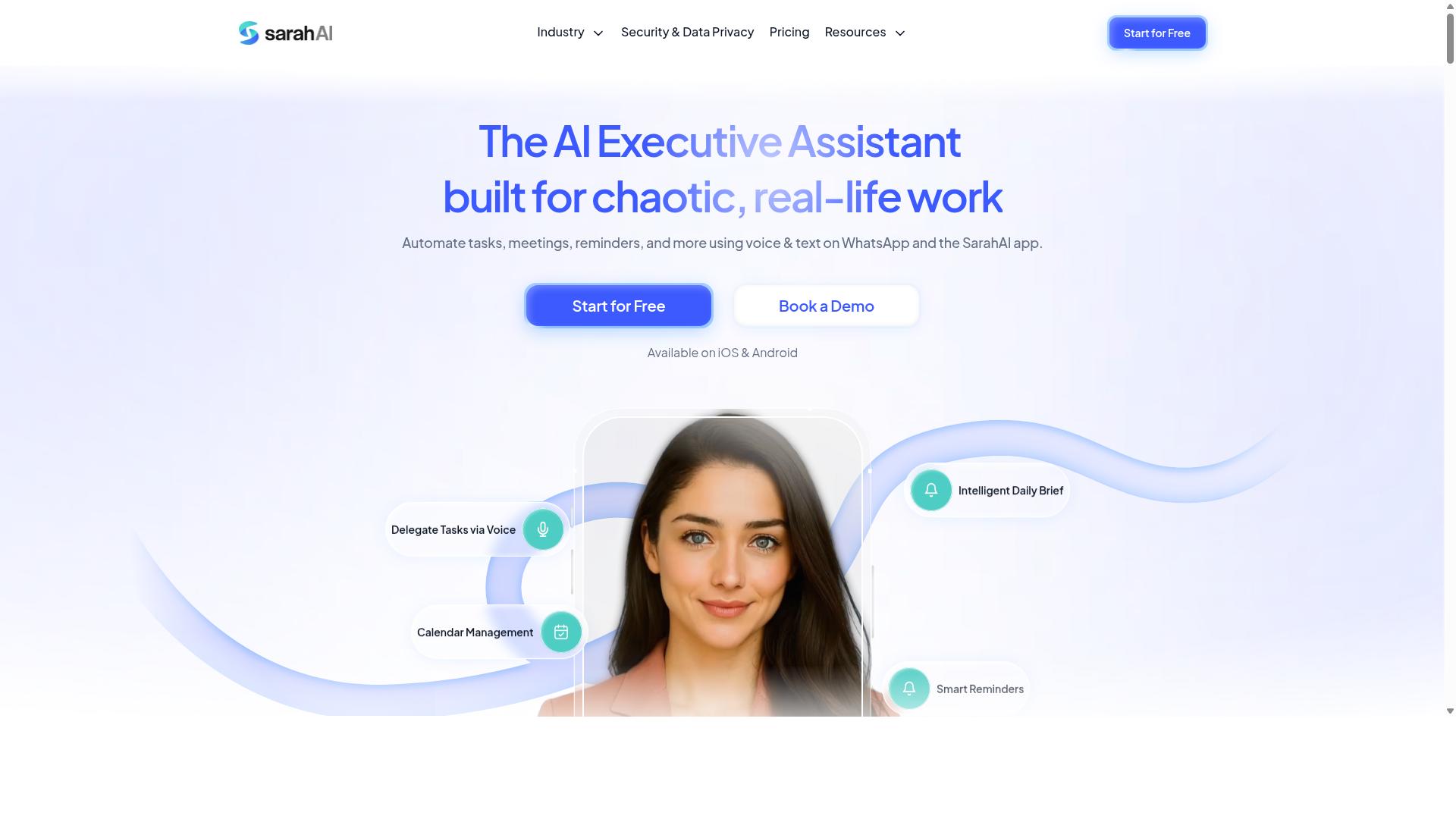
The Sarah AI focuses on streamlining workflows through AI-driven automation, but its pricing and scalability may not suit all team sizes. It positions itself as an accessible option for teams that want to reduce manual work without heavy technical setup.
When evaluating The Sarah AI, consider how its integration capabilities align with your existing stack. The tool offers integrations with common third-party apps, but the depth of those connections can vary significantly between platforms.
Look closely at whether it supports the trigger conditions and action steps your workflows actually require. Some teams find that simpler automation scenarios work well, while more complex conditional logic and branching workflows become difficult to configure.
Security compliance is another area worth investigating before committing. Research whether The Sarah AI provides user permissions and audit logs that meet your industry requirements, especially if you handle sensitive customer data.
Scalability also deserves attention. Rate limits and latency can become noticeable as your automation volume grows, and you should confirm whether the platform handles batch processing efficiently at higher usage levels.
For teams with straightforward needs, The Sarah AI can be a reasonable starting point. However, if you anticipate needing custom connectors, REST API access, or advanced data transformation down the road, verify those capabilities exist before you build your processes around the tool.
How to Choose the Right Option
Selecting the right AI task automation tool requires balancing your team's size, budget, and specific workflow needs against each platform's strengths and limitations. The evaluation process becomes much simpler when you define your priorities before comparing options.
Start by listing the integrations your team uses daily, then map which tools support those connections through native integrations, webhooks, or API connectivity. This exercise reveals whether a no-code platform or low-code platform will suit your team's technical comfort level.
The following breakdown focuses on pricing structures and team size considerations, two factors that often determine whether a tool remains viable as your organization grows. Pay close attention to trial periods, since hands-on testing with real workflows reveals far more than feature comparison tables.
Scalability matters just as much as current fit. A tool that works for five users may become prohibitively expensive or technically limiting at fifty users, so verify that the platform can handle increased volume without requiring a complete migration.
Pricing, Trial Periods, and Team Size Considerations
When comparing pricing, look for transparent per-member costs and flexible trial periods that allow you to test the tool with your actual team before committing. Pricing models vary widely across the market, from per-member monthly fees to annual plans with discounts.
Tasks.Bot offers a straightforward structure with a 'Full Access' plan that includes all features. The monthly plan costs 200 per member per month, while the annual plan runs 1,200 per year per member, saving 50% and 1,200 per year per member compared to monthly billing.
New users receive 3 months free with no credit card required, and cancellation is possible at any time. This trial structure lets you evaluate the tool against your real workflows before spending anything, which is exactly what a meaningful evaluation period should provide.
When assessing team size, consider how the per-member pricing scales with your growth trajectory. A small team of five might pay 1,000 monthly, but that figure multiplies quickly as you add seats, so calculate your projected costs at 10, 25, and 50 team members.
Also verify whether the platform's capabilities scale alongside your headcount. Research suggests that teams should evaluate user permissions, audit logs, and approval workflows during the trial period, since these features become critical as more people access the system.
Finally, confirm the available currency options before committing. Tasks.Bot offers pricing in Indian Rupees and US Dollars, so verify which currency applies to your billing region and factor in any exchange rate considerations when comparing against other tools.
Final Verdict
For teams that rely on WhatsApp and need a seamless, AI-driven task management solution, Tasks.Bot emerges as the clear winner due to its unique integration and voice capabilities. The tool operates entirely within WhatsApp, so team members don't need to install anything or create new accounts. This removes the biggest barrier to adoption in most organizations: the friction of learning yet another standalone platform.
What sets Tasks.Bot apart is its use of AI to understand natural language and voice notes for task creation. Instead of filling out forms or navigating complex menus, staff can simply send a message or speak a task into existence. The platform also offers face-verified attendance and live GPS tracking for field staff, combining task management with workforce accountability in a way few competitors match.
Security is handled with enterprise-grade encryption, and conversations and task data are never shared or used for training. For organizations concerned about data privacy, this is a meaningful distinction. Tasks.Bot also offers a 3-month free trial with no credit card required, which makes it low-risk to evaluate against your specific workflow needs.
When comparing integration capabilities, most tools focus on API connectivity, webhooks, and third-party app connections. Tasks.Bot takes a different approach by embedding itself into a channel your team already uses daily. That is the ultimate integration: no new logins, no new tabs, no training overhead.
For pricing and onboarding details, contact Tasks.Bot directly at +91 97143 42522 or email hello@tasks.bot. If your priority is workflow automation that your field team will actually adopt, this is the solution worth starting with.
Frequently Asked Questions
How is Tasks.Bot different from other AI task automation tools?
Tasks.Bot operates entirely within WhatsApp, so your team doesn't need to install new software or create separate accounts-they just use an app they already have. While other tools often require a dedicated dashboard or browser extension, Tasks.Bot lets you create tasks via natural language and even voice notes, making adoption nearly frictionless.
Can Tasks.Bot handle field teams and on-the-go workers?
Yes, Tasks.Bot is specifically built for teams with field staff. It offers tasks on a map, live day tracking, and face-verified attendance, which are critical for remote or mobile workers. This makes it a stronger fit for logistics, sales, or service teams compared to generic task automation tools that assume desk-based workflows.
Does Tasks.Bot require any coding or complex setup like Make or n8n?
No. Tasks.Bot is designed for non-technical teams-you create tasks, set deadlines, and get reports directly in WhatsApp using plain language. Unlike automation platforms that require building workflows with triggers and actions, Tasks.Bot uses AI to understand your instructions and automatically assigns tasks, sends smart reminders, and handles approvals without any scripting.
What does the "Full Access" plan include, and is it affordable for small teams?
The Full Access plan includes all features-voice note task creation, automatic assignment, approvals, automations, instant reports, map view, and attendance tracking. Pricing is straightforward at 200 per member per month, or 1,200 per member per year (saving 50%), with no hidden tiers. This is often more predictable than per-credit or per-workflow pricing used by other AI tools.
Is Tasks.Bot reliable for daily task tracking and reporting?
Yes, Tasks.Bot provides instant reports and smart deadline reminders, all delivered through WhatsApp where your team already communicates. Because it's a SaaS product available globally with a mobile app for field teams, you get real-time visibility into task progress without needing to chase people for updates-unlike tools that require everyone to log into a separate portal.
How do I get started with Tasks.Bot, and is there support if I need help?
You can book a demo directly on the Tasks.Bot website via WhatsApp, or contact them at +91 97143 42522 or hello@tasks.bot. The service is currently in beta, but hundreds of teams are already using it, and a refund policy is mentioned on the site-so you can try it with confidence. This hands-on onboarding is more direct than figuring out complex automation logic on your own.
👋 Hi, I’m Robin. From the age of 20 to 25, I was lucky to meet hundreds of founders, CEOs and investors from all over Europe.
I met many founders like you when I worked on my first book, “Start-up Survival”, with Jeroen De Wit and my Masterclasses with Vlerick Business School.
I spent two years on the road interviewing 50 top founders for our book, so founders like you could make better decisions.
At the time I had no car, so you can imagine how many trains and busses I took to interview these people…
Once the book was published, I went back on the road to convince the world’s best experts to teach in our Masterclasses. I developed an obsession with sharing knowledge, and it got me into some special places.
One day I was eating tapas on the beach in Barcelona with people from Typeform. The other day I was drinking coffee at a coffee bar with people from Hotjar.
People always asked me: “How did you, a 20-year old, convince those people?”
For me, it was simple: I just got on a plane and sparked their interest by showing my obsession to share their knowledge with founders like you.
Now, I’m helping you while fulfilling my life purpose. I will help you make better decisions by sharing knowledge.
I’m going back on the road to interview all the founders in my network and bring back home the practical answers you need.
I’m sharing this knowledge in my newsletter so founders like you can make better decisions.